Creating your own
Your team's own templates sit above the built-ins under Your team's templates, and are available to everyone in the workspace. Creating and editing them is an Admin or Owner action.
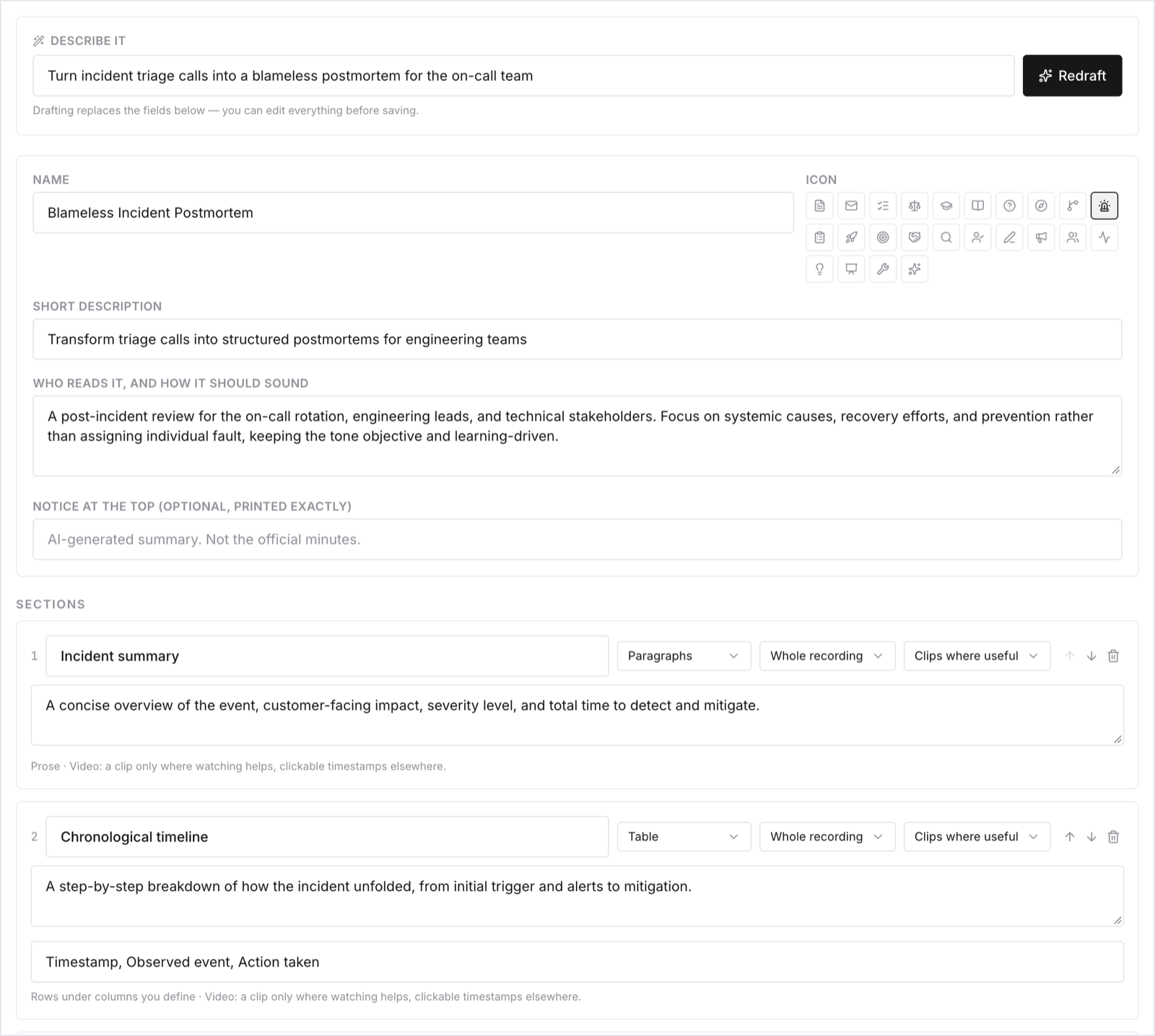
Click New template. There are three ways to build one:
- Describe it and let Ciev draft it. Type something like "Turn customer calls into a brief for our PM team" and click Draft sections. Ciev proposes the whole structure, which you then edit. This is the fastest route, and the one to start with.
- Duplicate a built-in and change what you don't like. Best when a Ciev template is 80% right.
- Build it from scratch, section by section.
A template is a name, a description, and an ordered list of sections. Each section has:
- a title, for example Pain points;
- guidance, meaning plain-English instructions for what belongs there ("The problems the customer described, in their own words"). This is the field that does the real work, so be specific;
- a style: prose, bullets, or a table (tables take 2–5 column names);
- a scope: either Whole recording, which makes one pass over everything, or Each topic, in order, which repeats the section per topic Ciev found;
- a visuals setting, controlling whether screenshots and clips get embedded.
You can also set template-wide instructions (tone, audience, conventions) and a notice that appears on every document generated from it. A notice is useful for a confidentiality line, or a "generated from a recording, verify before filing" disclaimer on legal templates.
Custom templates and documents per month are both plan-limited. Billing shows your current allowances.