Chat
Chat (the magnifier in the sidebar, or ⌘K and Ctrl-K from anywhere) is how you ask questions across every recording in the workspace.
Ask in plain language, such as "What did we decide about the payments architecture?", "Did anyone raise concerns about the Postgres migration?" or "Where did Priya explain the retry logic?", and you get an answer with citations: the recording, the date, the timestamp. Click any citation to watch the moment. When the answer is something that was shown rather than said, Chat can show you the frame.
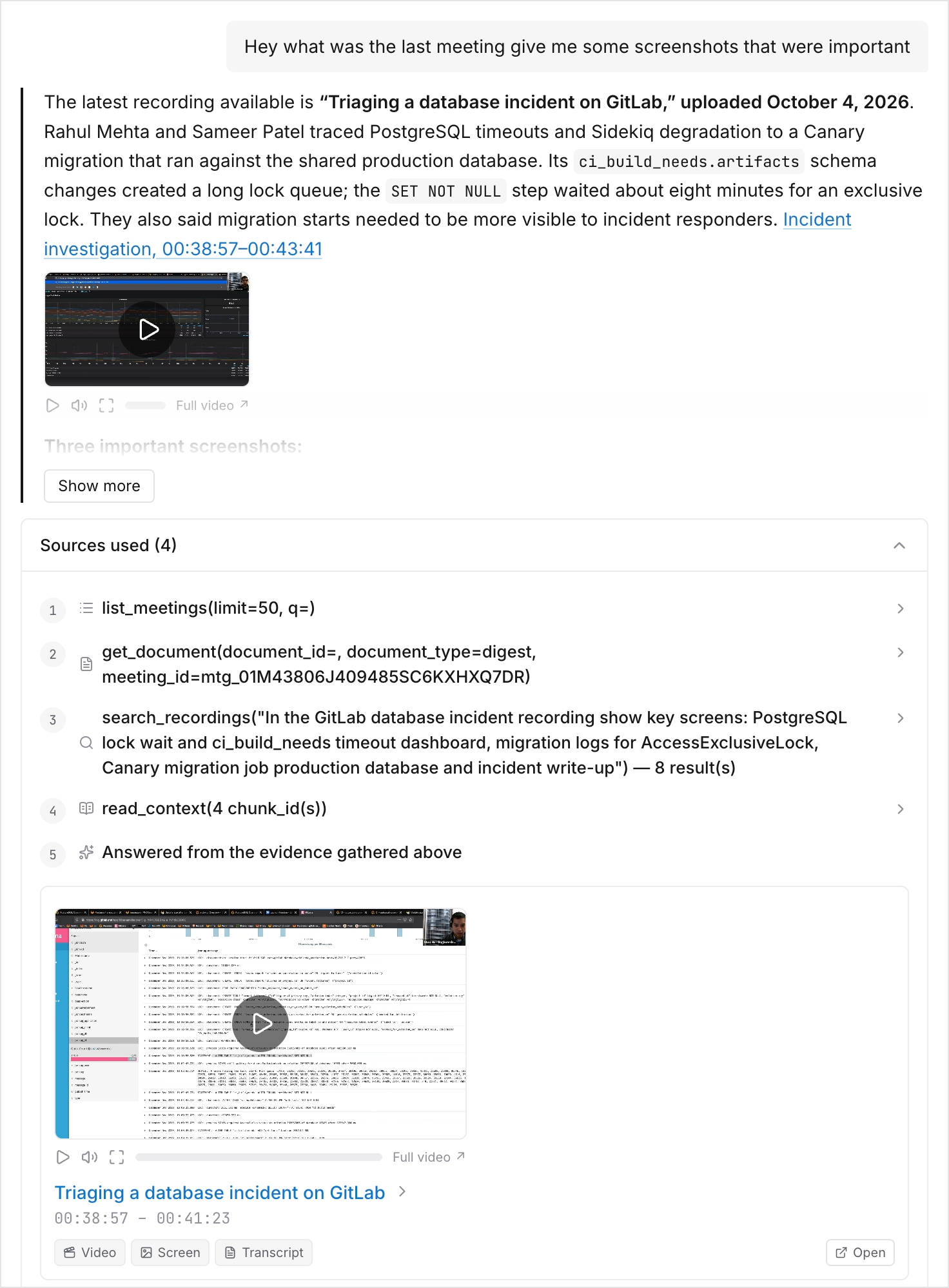
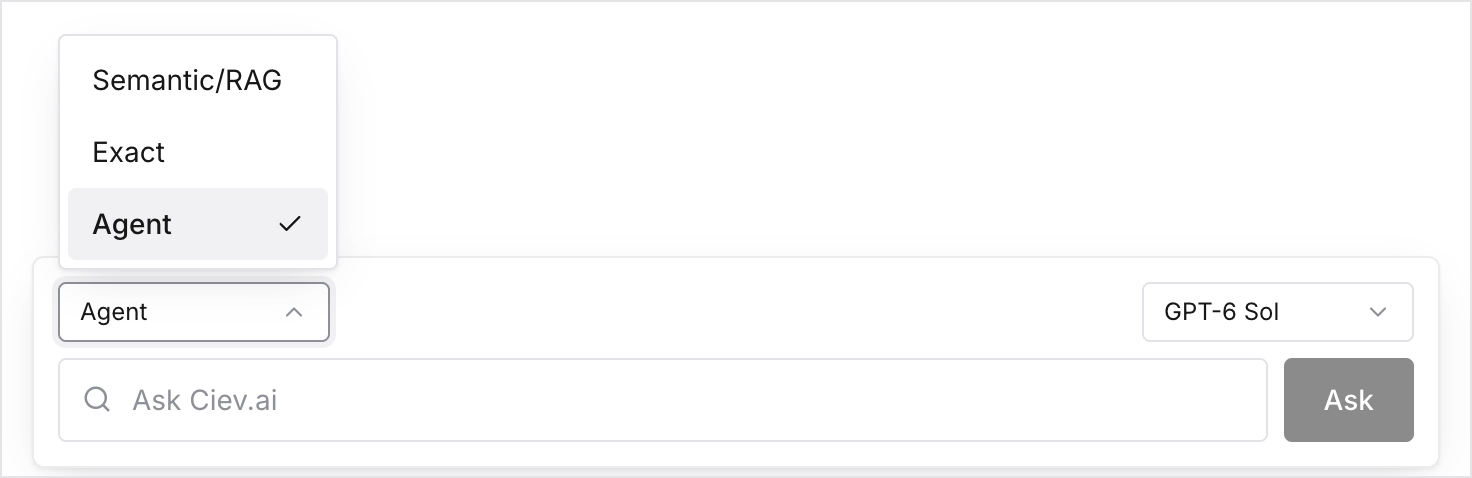
Three modes, in the dropdown next to the input:
- Agent (the default) runs the same loop a coding agent runs over MCP. It searches for candidate moments, decides which are worth reading in full, reads them verbatim, then answers from that evidence. Slower, and the right choice for real questions.
- Semantic/RAG embeds your query and ranks passages by meaning. Fast, and good for "is there anything about X" browsing and for paraphrased wording.
- Exact matches literal strings across both the transcript and the text that appeared on screen. This is the one to use for an identifier, a function name, an error string, or a product name, including things that were only ever visible in a screen share and never spoken.
- Chat only searches recordings you can see. Private recordings you haven't been given access to don't appear in your results.
- Your conversation history is kept per person in the left rail. It is private to you, not shared with the workspace.
- A chat answer can be published to a public link, the same way a digest can.
- On a meeting, a digest, or a document, use Ask about this for a chat scoped to that one thing instead of the whole workspace.