Your workspace
Sign in at ciev.ai with an email and password, or with Google.
What happens on your first sign-in depends on how you arrived:
- You signed up yourself. Ciev creates a new workspace (your
organization) and makes you its Owner. If you didn't give it a name, it
is called
you@company.com's workspace. Rename it any time under Organization → Workspace name. - You were invited. Open the invite link from the email and you join your team's existing workspace with whatever role the person inviting you chose. You do not get a second workspace of your own.
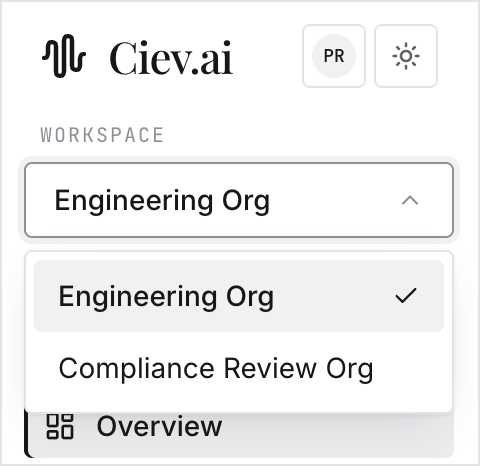
A workspace is the boundary for everything in Ciev. Recordings, digests, documents, templates, API keys, billing and usage all belong to one workspace. If you belong to more than one, switch between them from the workspace switcher at the top of the left sidebar. Nothing is shared across them.
Your own account settings (name, password, connected Google account) live under the avatar button in the top-right corner, not in Organization.