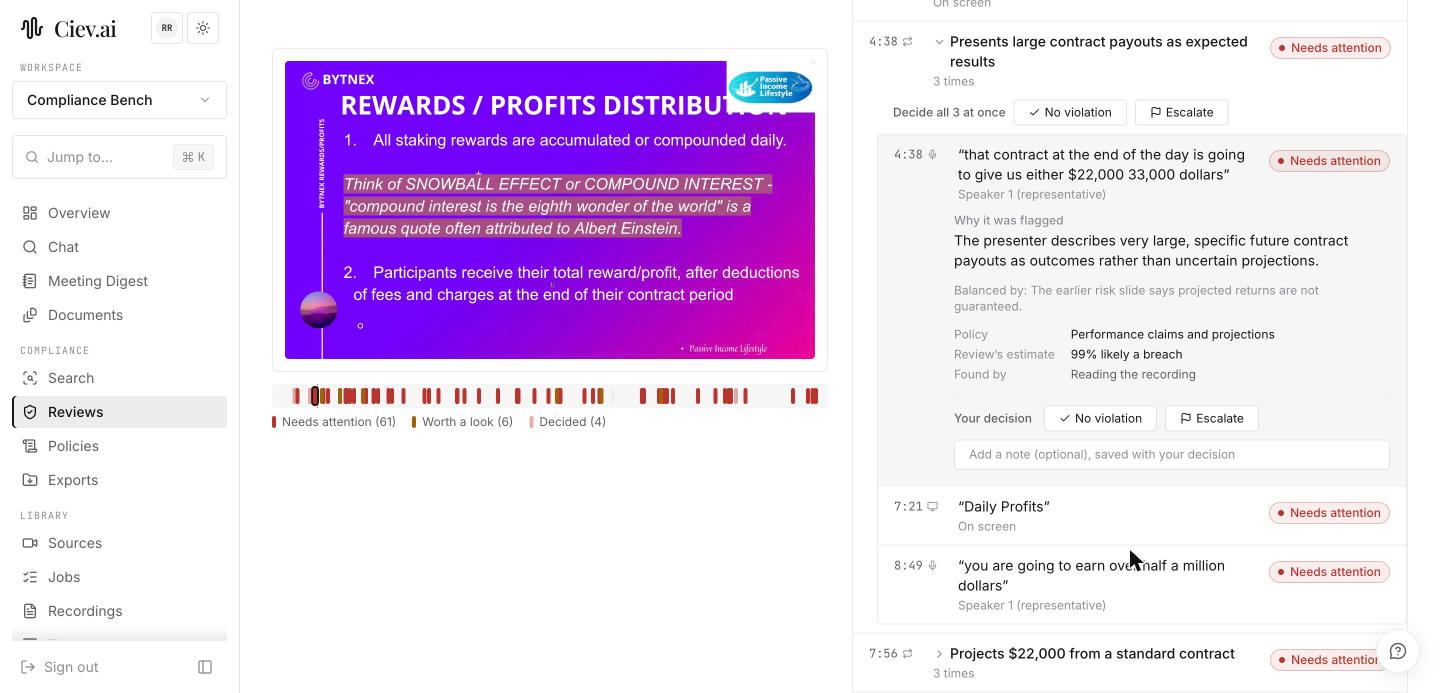
Deciding a moment
Click a moment and the video seeks to it. The moment opens to show its reasoning, so you are judging an argument rather than a bare match:
- Why it was flagged, in a sentence;
- Balanced by, where something elsewhere in the recording qualifies the claim, which is often the reason to decide no violation;
- the policy it was read against;
- the review's estimate, as a percentage;
- found by, which says whether it came from reading the recording or from a keyword.
Then make one of two decisions, with an optional note saved alongside it:
- No violation;
- Escalate.
Both record who decided and when, and a decision moves you to the next moment.
Working through a long recording, use the keyboard: J and K move between moments, C marks no violation, E escalates.
The moments are grouped into tabs by verdict, each showing its count, so you can work the Needs attention tab first and leave Looks fine for a skim.