Getting started
Seven steps. Do them in order: the first one matters most, because a recording is reviewed against the policies in force at the time it is reviewed.
Settle your policies first
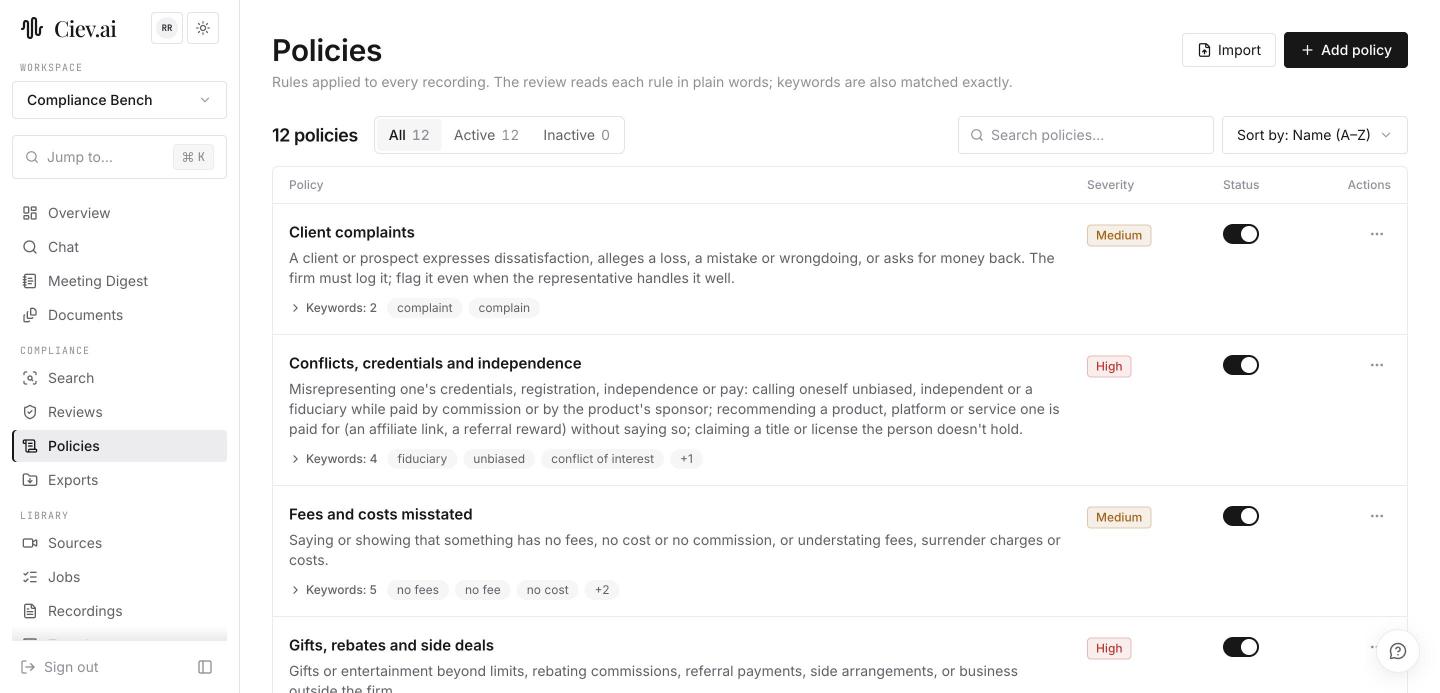
Open Policies. Twelve are already there. Read them, turn off any that don't apply to your firm, and add the rules you are checked on that aren't covered.
Doing this before you add recordings saves re-reviewing everything later: changing a policy means the next scan re-reads the recording rather than reusing its previous answer.
Import the rules you already have
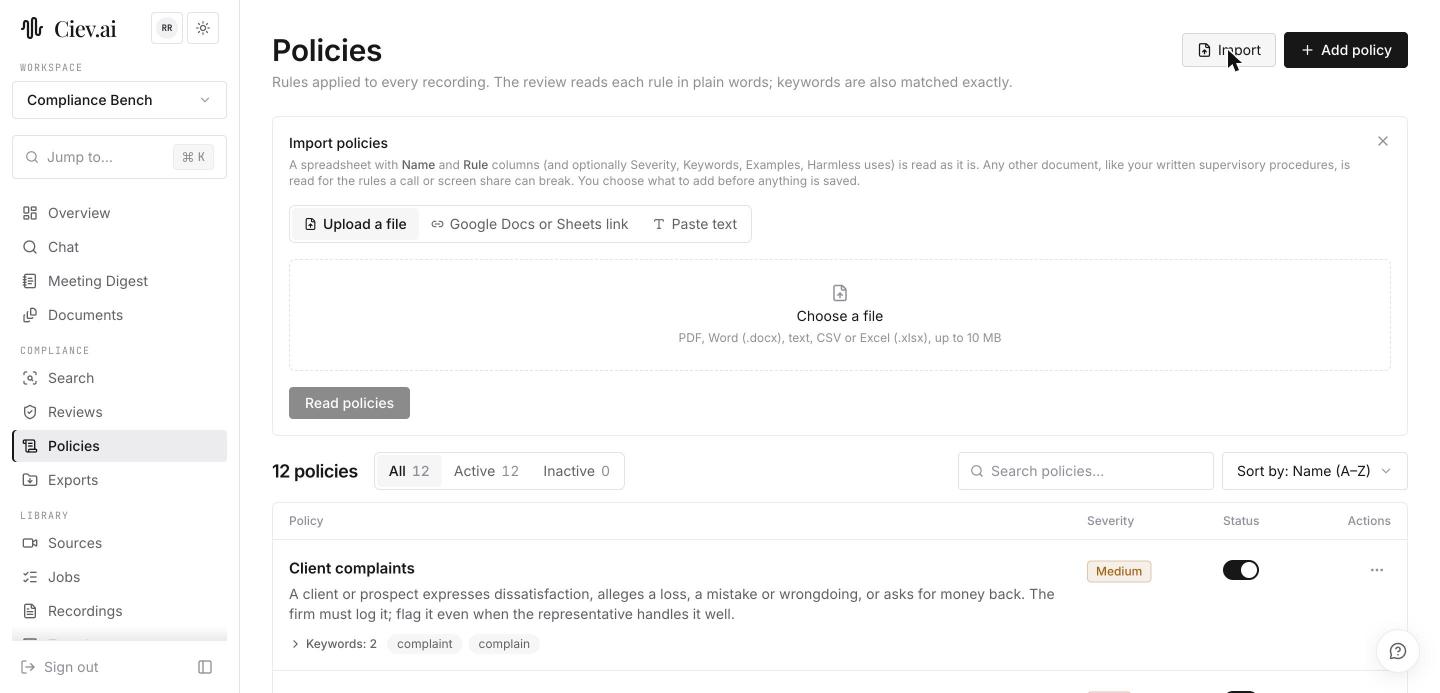
If your firm keeps a red-flag list or written supervisory procedures, use Import rather than retyping them. A spreadsheet is read column by column; a policy manual is read for the rules in it.
Nothing is saved until you have been through the drafts.
Add one recording you already know
Sources → upload a call you have already reviewed by hand. Starting with one whose answer you know is the fastest way to calibrate how Ciev reads your rules.
The review runs automatically once ingest finishes. There is nothing else to start.
Open the queue
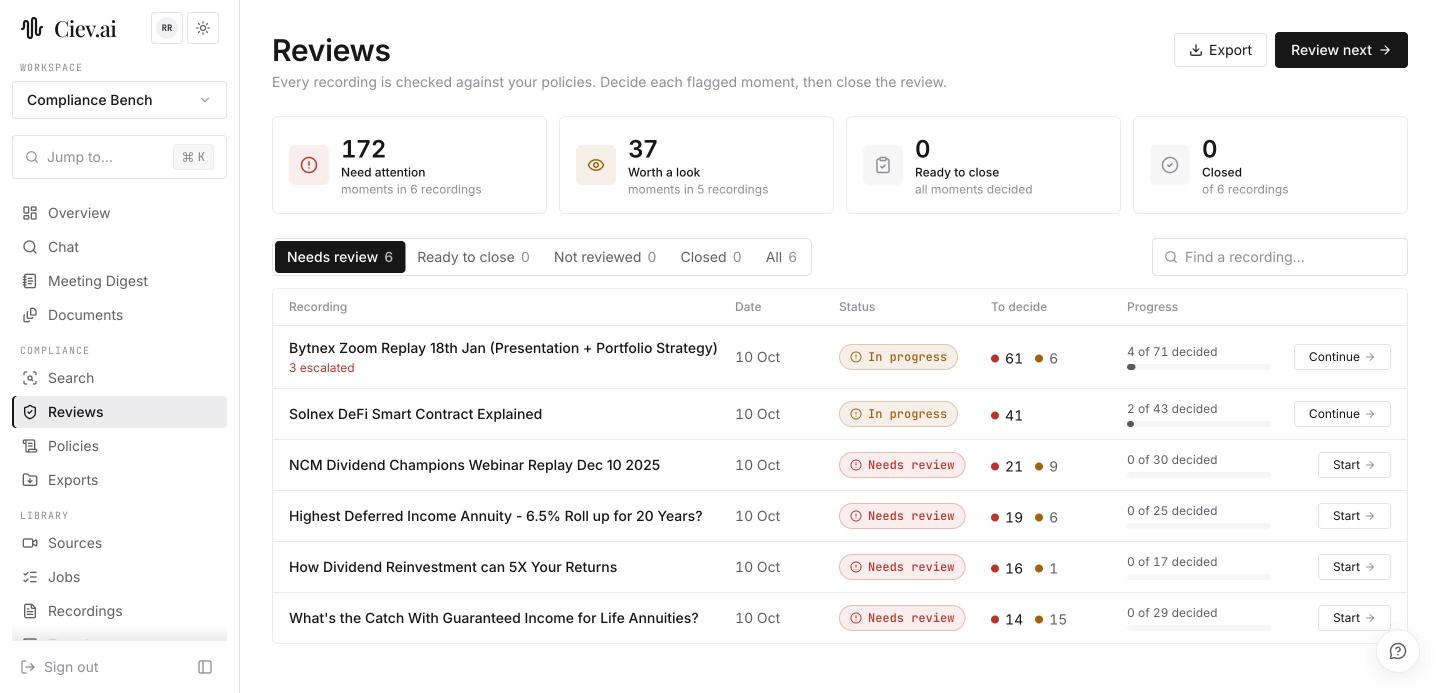
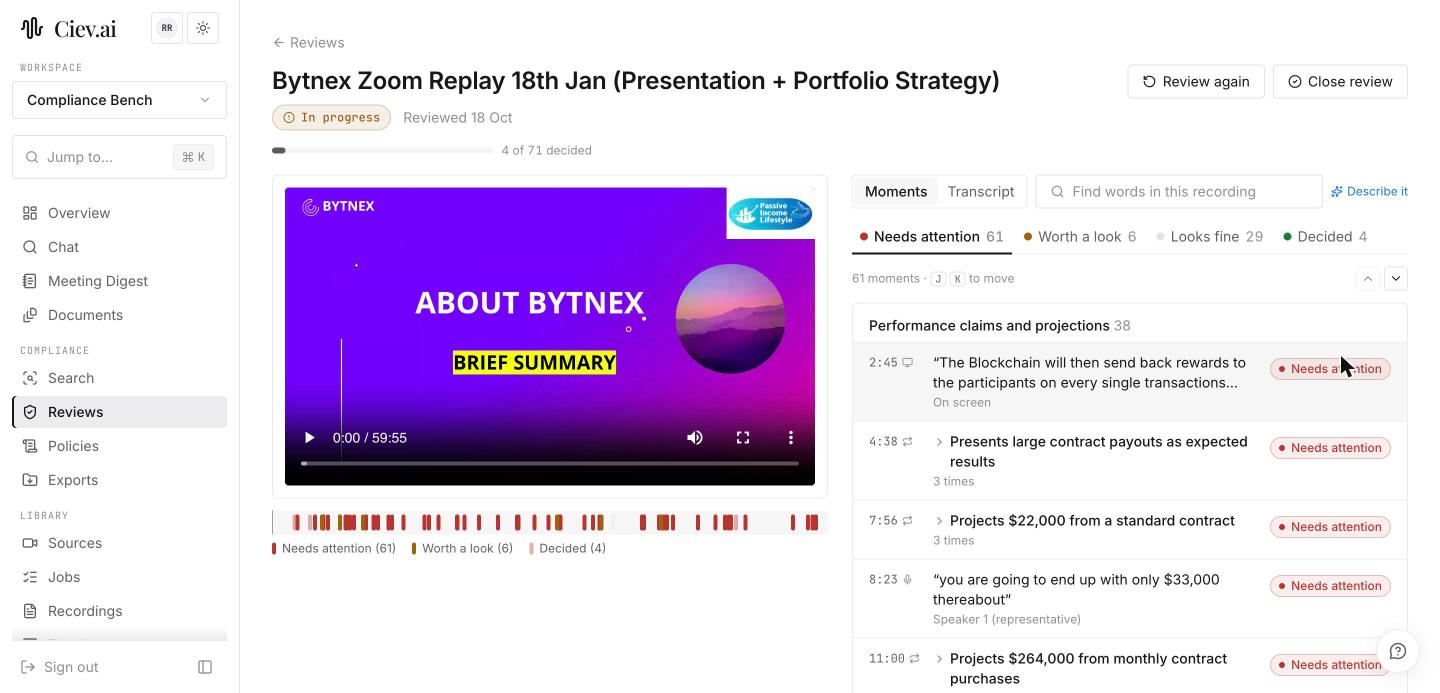
Reviews lists every reviewed recording, worst first. Pick yours and start on the Needs attention tab.
Decide a few moments by hand
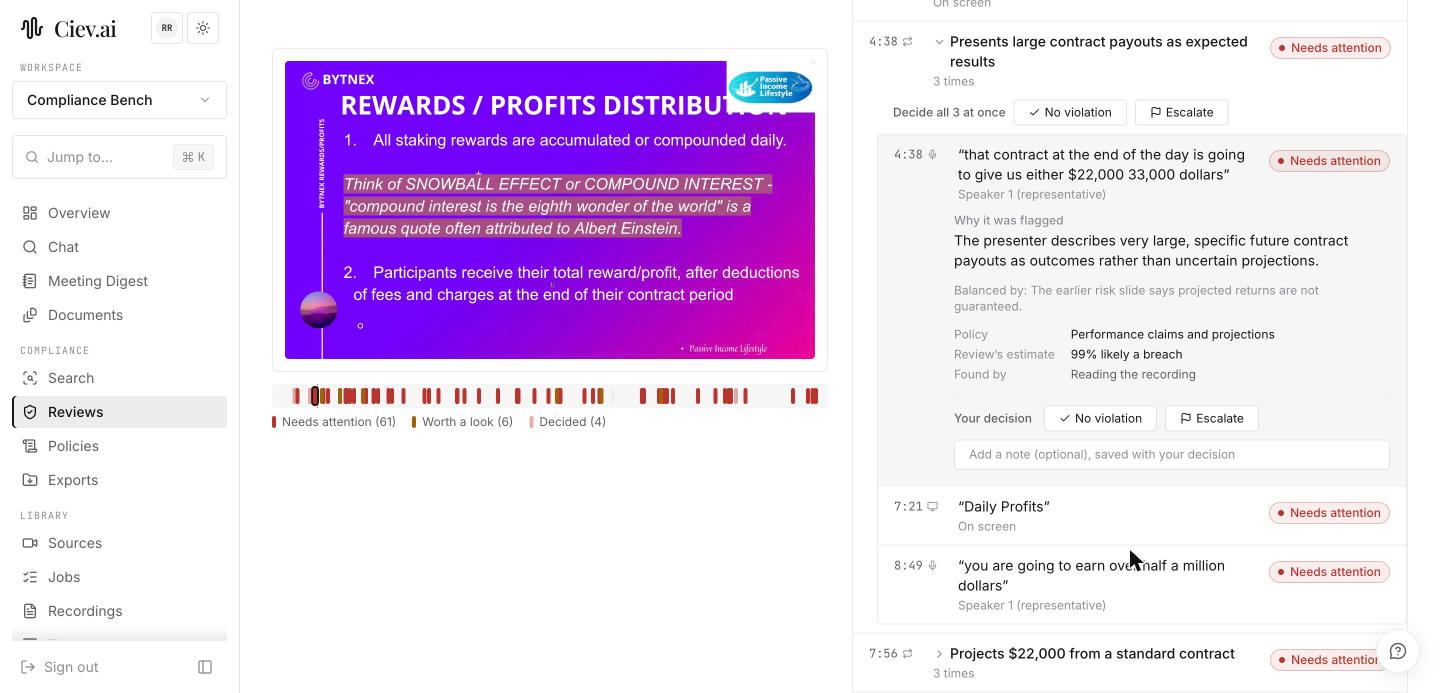
Click a moment. Read Why it was flagged and Balanced by, click the timestamp to watch it, then choose No violation or Escalate, adding a note if it needs one.
Once the shape is familiar, stop clicking: J and K move between moments, C and E decide.
Close the review
When every moment has a decision, Close review and add a note. That is your proof of review, with your name and the date on it.
Build one export
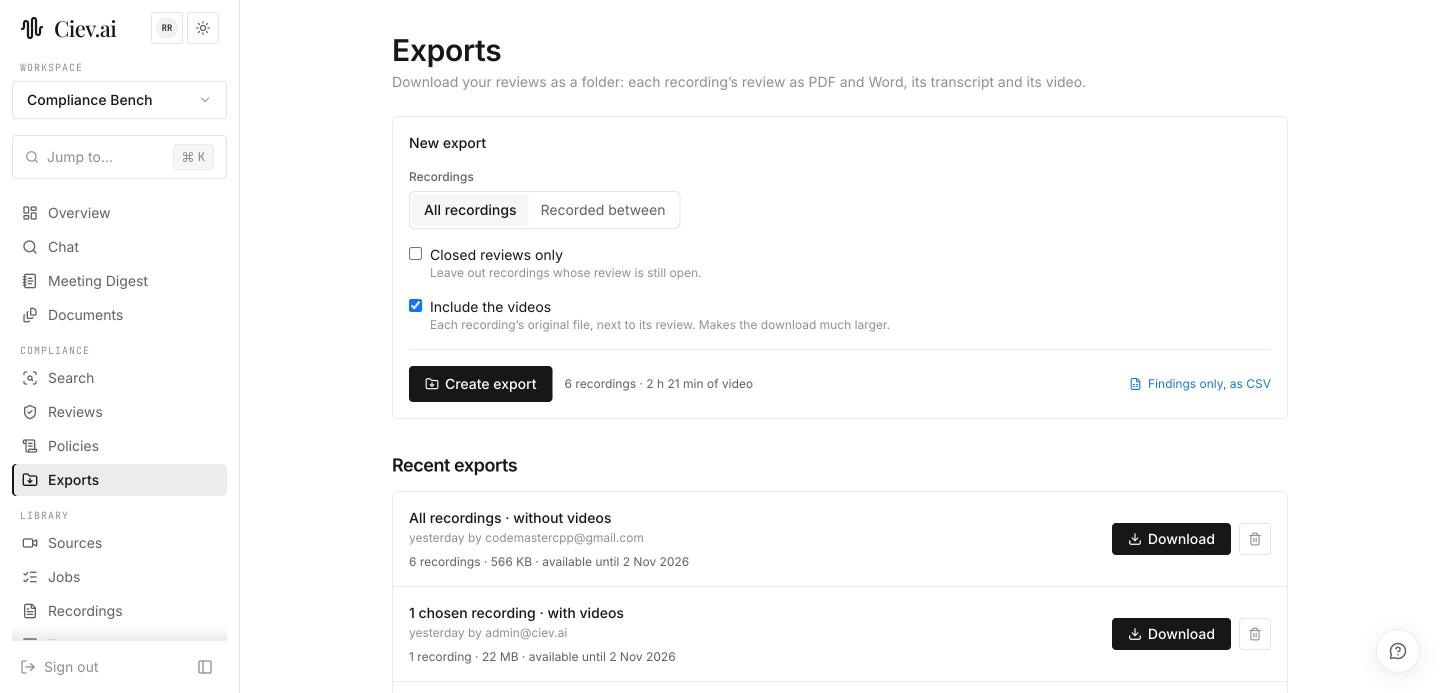
Exports → closed reviews only. Open the folder, read review.pdf, then
open findings.csv.
Knowing what these contain before an examiner asks for them is the whole point of doing it now rather than later.
Then bring the rest in
Add the back catalogue, and invite your reviewers as Members. They can decide moments and close reviews without being able to change the policy set.
Flagging more than you expected? That is usually the policies rather than a fault. Tighten a rule's wording, or add the harmless uses your firm accepts, and re-scan. Flagging less? Check the policy is enabled, and that its keywords match how your people actually speak.