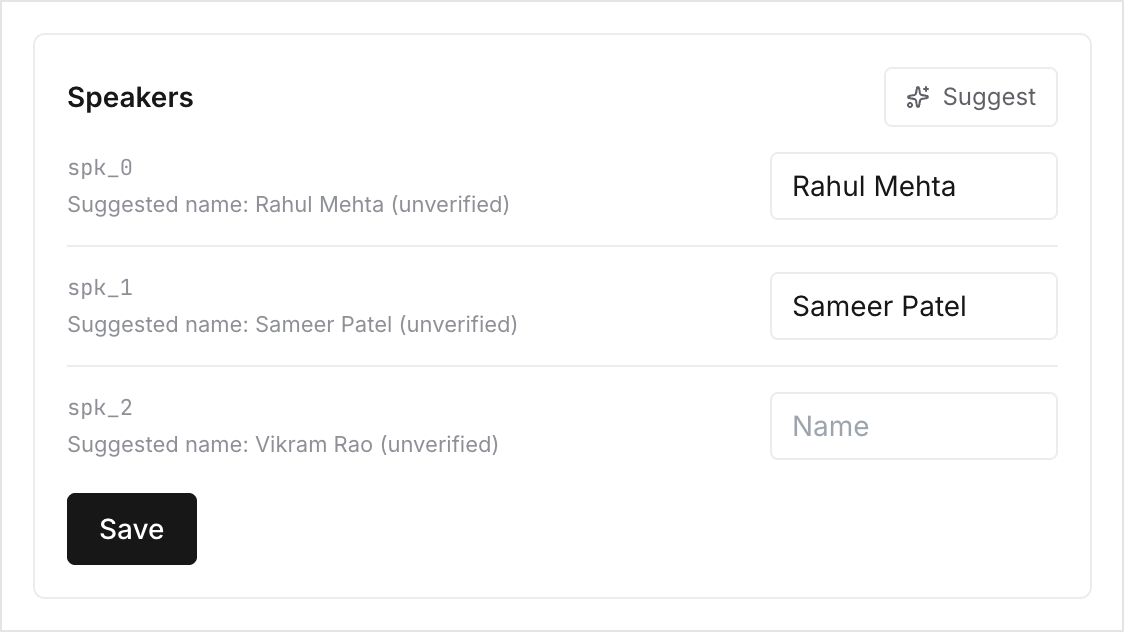
Speakers
Ciev separates the audio into distinct speakers automatically, but it starts out with labels like Speaker 1 rather than names. Open the Speakers tab to fix that:
- Type a name next to each speaker and click Save. Names then appear throughout the transcript, the digest, every document generated from this recording, and in search results and citations, including the ones your coding agent sees.
- Click Suggest to have Ciev propose names it can infer from the recording itself, where people introduce themselves or get addressed by name. Suggestions pre-fill the fields but are never applied silently; you still review and Save.
- In interview workspaces, each speaker also gets a role (Candidate, Interviewer, Other), which the interview report depends on.
Any member can name speakers. It's worth doing once, right after ingest. Every downstream artifact gets better, and naming after the fact doesn't retroactively improve documents you've already generated.