Importing what you already have
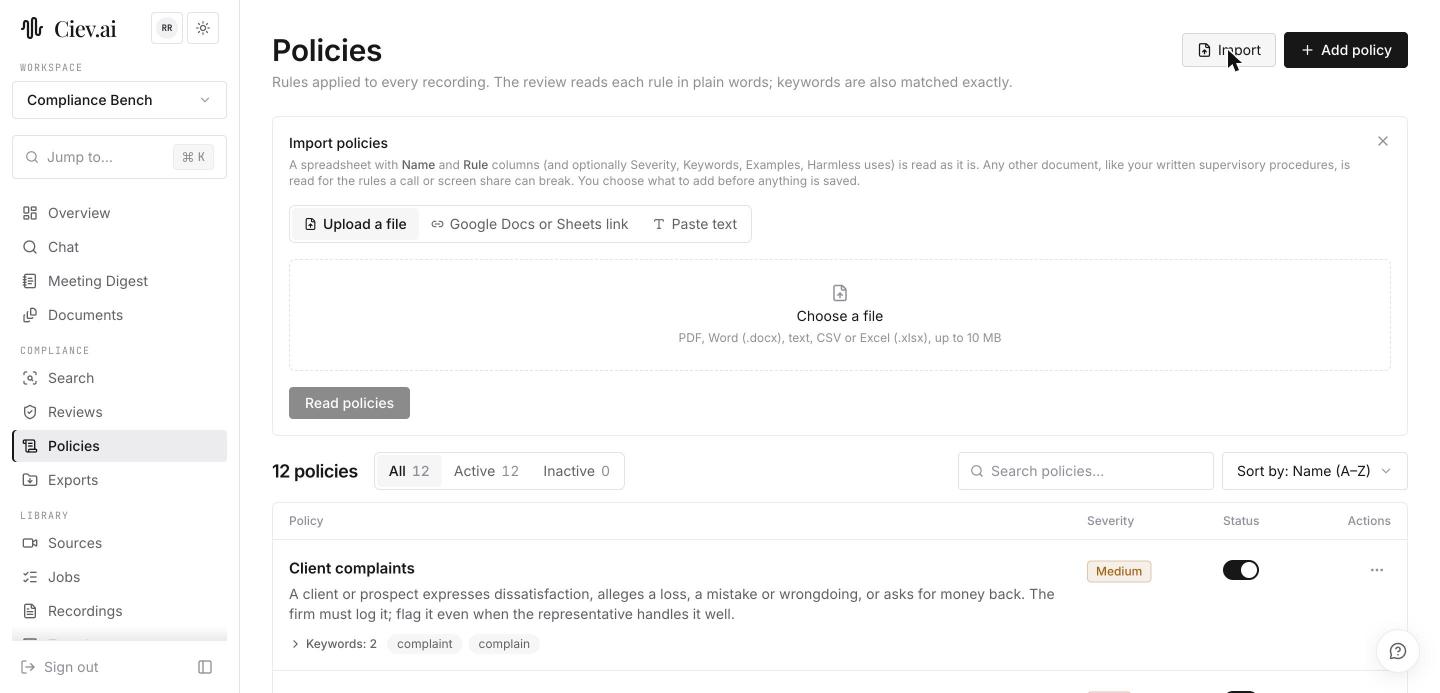
If your firm already keeps its rules somewhere, import them rather than retyping them. Ciev takes an uploaded file, a Google Docs or Sheets link, or pasted text.
A spreadsheet with Name and Rule columns, and optionally severity, keywords, examples and harmless uses, is read as it stands. Anything else, such as your written supervisory procedures, is read for the rules a call or screen share can break, so you can point Ciev at the document you already maintain instead of a list built for a keyword tool. PDF, Word, text, CSV and Excel are accepted, up to 10 MB.
The spreadsheet format
Only two columns are required.
| Column | Required | What goes in it |
|---|---|---|
name | Yes | The policy's name, for example Guarantees and promises of results |
rule | Yes | The rule in plain words, as you would explain it to a new reviewer |
severity | No | high, medium or low. Defaults to medium |
terms | No | Keywords matched exactly, separated by commas |
examples | No | Example quotes that should be flagged |
exclusions | No | Harmless uses that should not be flagged |
omission | No | true where the policy flags something missing rather than something said |
enabled | No | false to import a policy switched off |
Headings are matched loosely, so you rarely have to rename anything. name
also accepts policy, policy name, title or rule name; rule accepts
description, requirement, what to flag or policy text; terms
accepts keywords, phrases, red flags or search terms; exclusions
accepts harmless uses, exceptions or not when.
A table without a recognisable name and rule column is not treated as a
table at all. It is read as a document instead, for the rules it describes.
Example: a spreadsheet
This is a valid import, using headings Ciev recognises without renaming:
| Policy Name | Description | Risk level | Key words | Harmless uses | Examples | Omission? |
|---|---|---|---|---|---|---|
| Guarantees | Never promise returns. | Critical | guarantee, risk free; can't lose* | guarantee period | You can't lose.<br>It's guaranteed. | |
| Missing risk disclosure | Performance without risks. | yes |
What Ciev makes of it:
- Keywords split on commas or semicolons, so either works.
- A single word with no asterisk matches its forms.
guaranteealso catches guarantees and guaranteed. A multi-word phrase such asrisk freeis matched as written. - A trailing
*is a wildcard, socan't lose*also catches can't loses. Adding one turns off form matching for that keyword. - Harmless uses apply to every keyword in the row. A hit inside guarantee period is kept and marked Looks fine rather than dropped, so it is still there if you want to check it.
- Examples are separated by new lines within the cell.
- Severity is read generously. Critical becomes high; a blank cell becomes medium. A word Ciev can't read, such as urgent, is shown back to you as a problem on that draft rather than guessed at.
- Blank rows are skipped, so spacing in your sheet doesn't matter.
Omission?set to yes marks a policy that flags something missing, like the second row here.
A sheet with only a keyword column and no rule is not a table Ciev can read column by column. It gets read as a document instead, which usually still works.
Example: a policy document
You can equally import the procedures you already maintain. A clause like:
3.1 Communications. Registered representatives shall not guarantee a customer against loss.
drafts a policy named Guarantees against loss, with the rule "Don't
guarantee a customer against loss", high severity, and guarantee as a
keyword.
Two things make this safe to trust:
- Each draft quotes the passage it came from, so you can see what in your document produced it.
- That passage is checked against your document. If a draft cites wording that isn't actually there, it is flagged rather than presented as if it came from your procedures.
Where a draft overlaps a policy you already have, it is shown as an update to that policy rather than a new one, so importing a manual twice doesn't leave you with duplicates.
Nothing is saved until you have been through the drafts. Each one is added, updates the policy it matches, or is skipped, and you decide which.